





Desearch
Putting AI answers beside their sources, with a playground for developers to try the API.

The problem
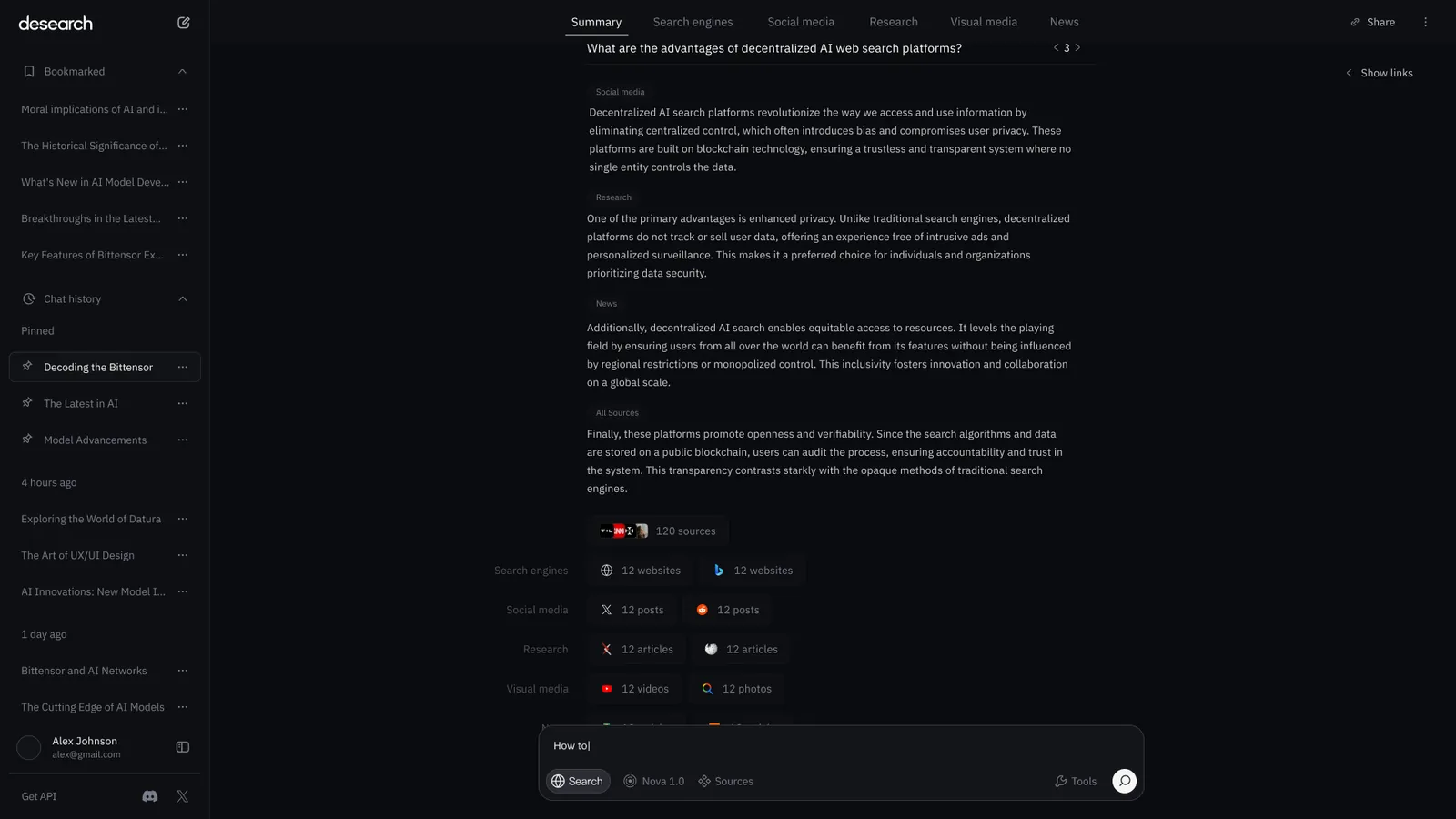
Desearch is a decentralized search platform with two sides: a search experience for people and an API for developers. I joined as founding designer with no brand, no design language and no screens to build on. Search answers read well but hid where they came from, so people could not check them. Developers had no place to try the API before building on it. The work started with the identity, and from there it was about making answers checkable and giving developers a place to try the API.
Answers you can check
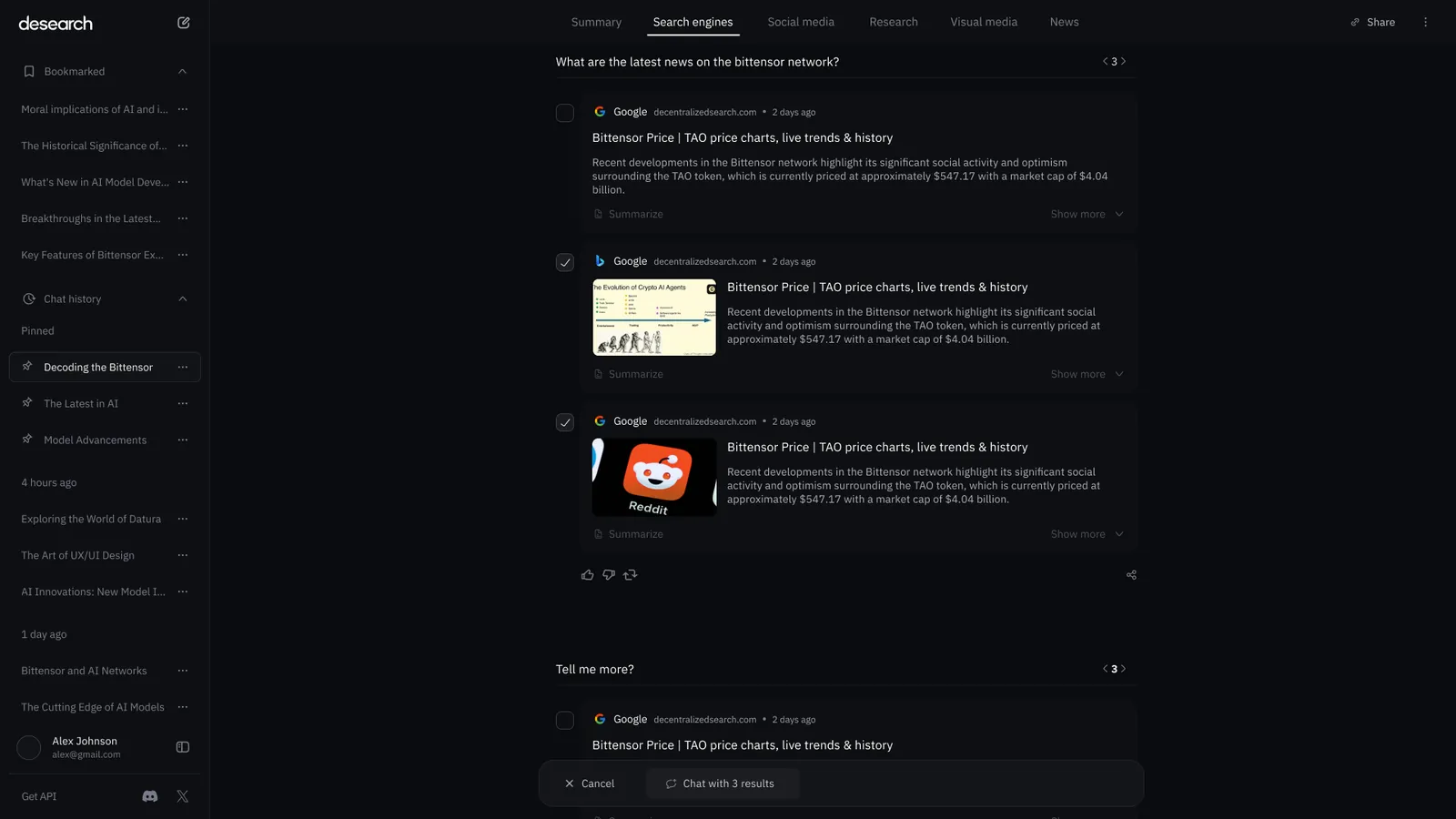
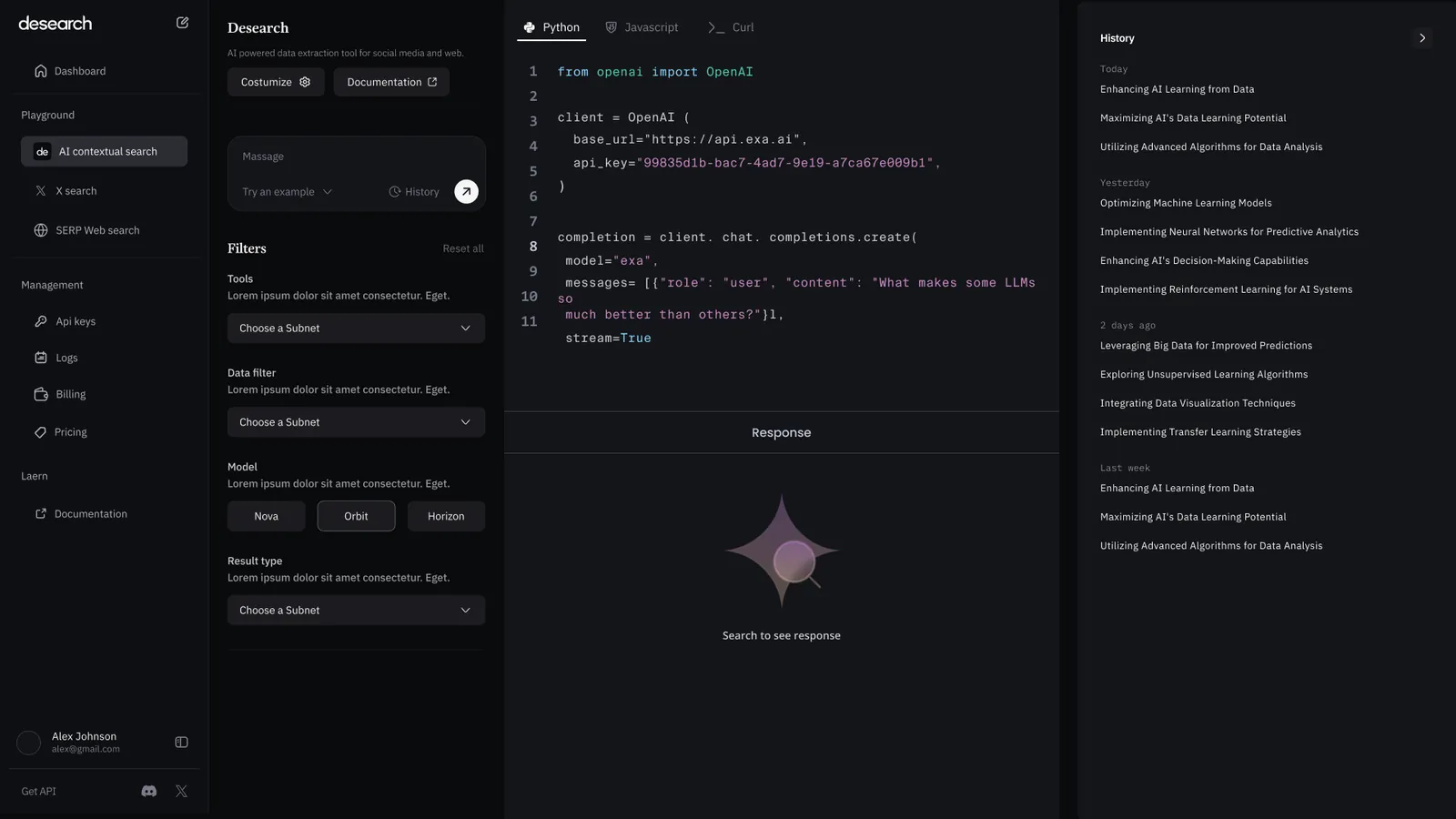
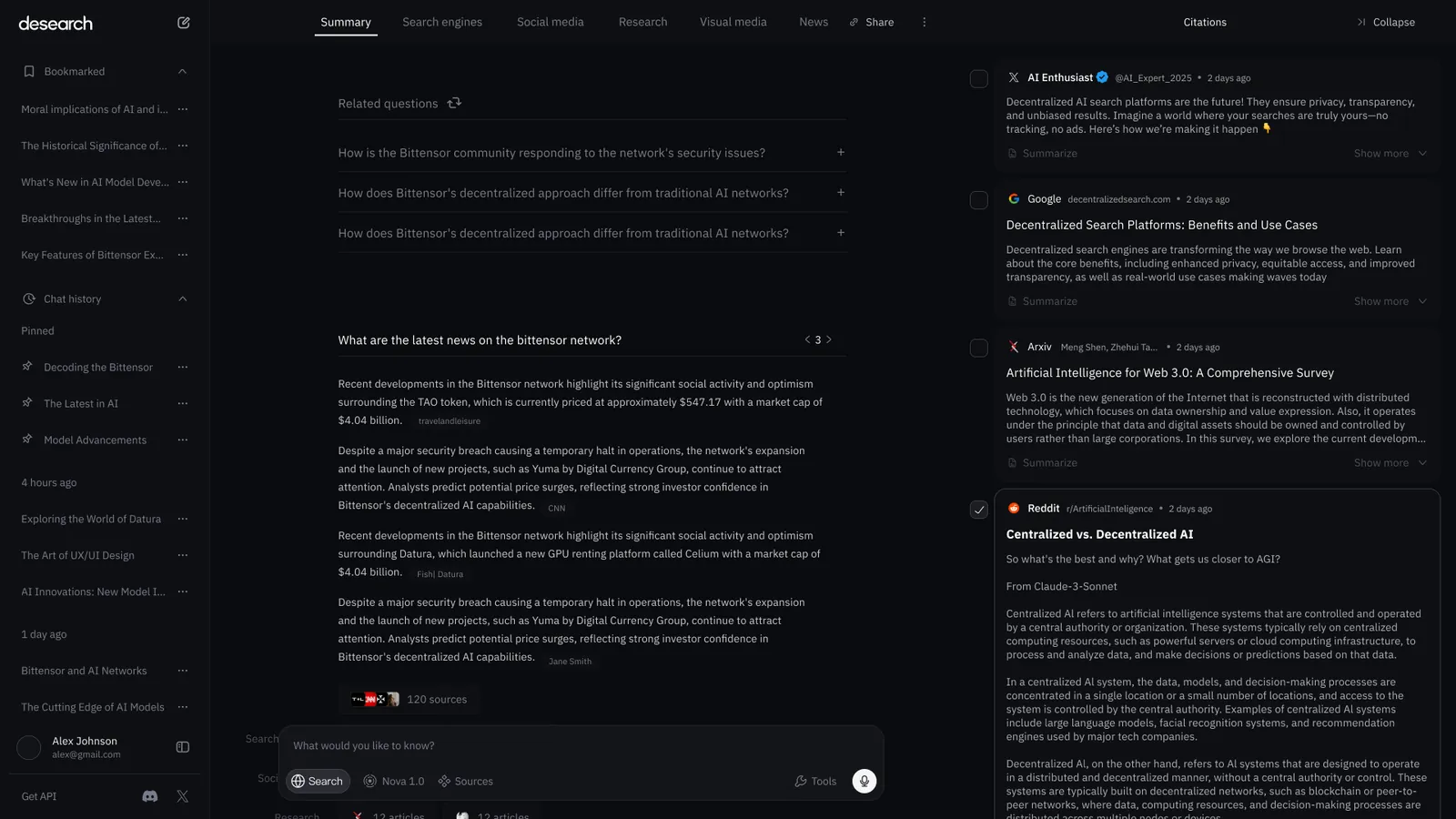
I bet on trust coming from being able to check an answer, and that decision drove the design language for the whole platform. Sources became the second pane, a deck of citations beside every answer, and each paragraph is labelled with the kind of source it came from. Hover a sentence and the snippet it came from lights up. The developer side follows the same idea: developers run the API right away, with generated request code and a live playground on one screen.
The surfaces
The search experience and the developer layer, from playground to console.
Sources beside the answer
The answer and its evidence share the screen. A citations deck sits beside the summary with posts, articles, papers and threads as cards, and each paragraph is tagged social, research or news.
- Hovering a sentence highlights the source snippet behind it.
- Related questions continue the thread without starting the search again.
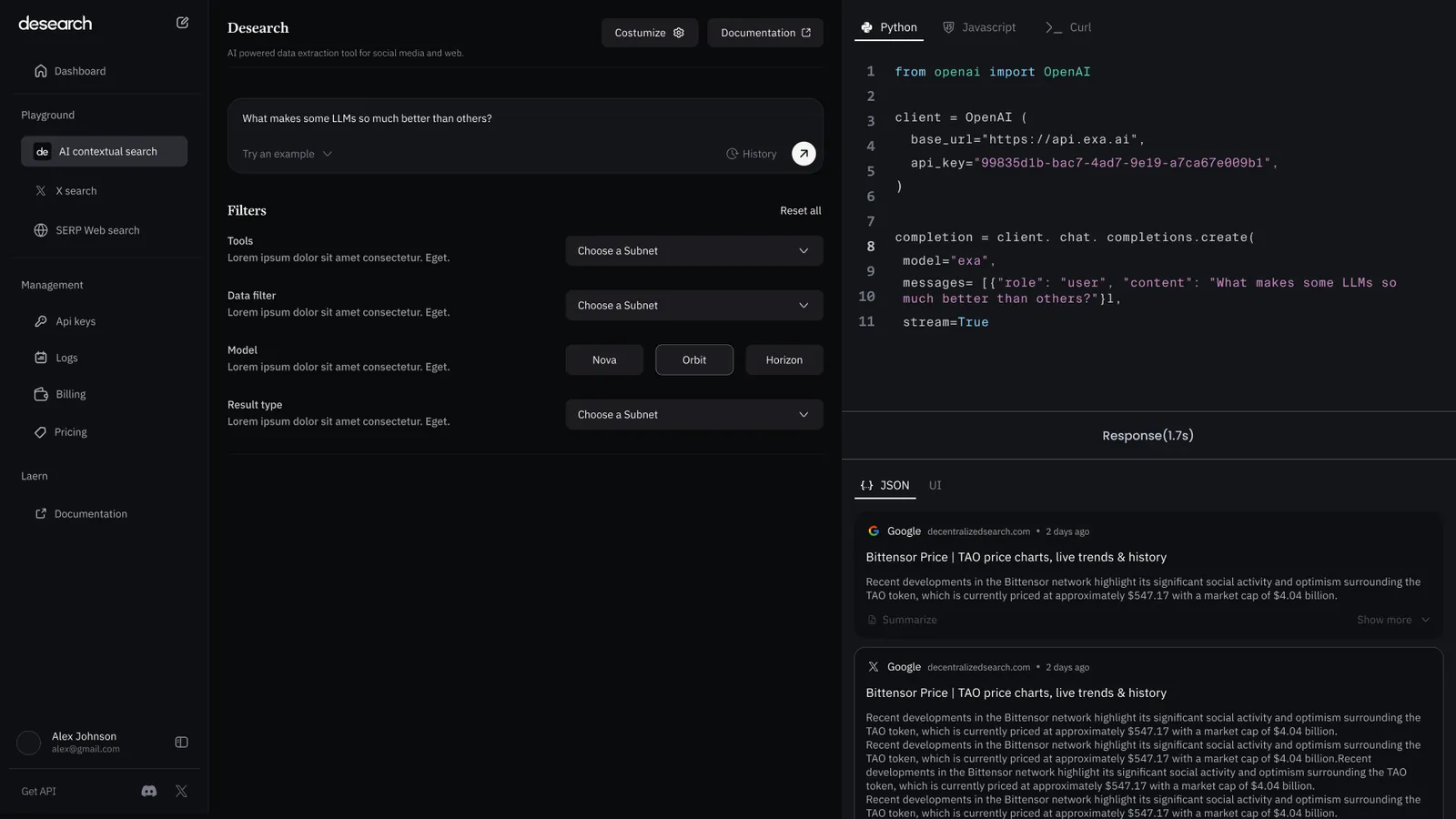
Try the API before integrating it
Pick tools, model and result type in the interface and the request code updates as you go, in Python, JavaScript or cURL. The playground generates a request you can run, and the real response comes back on the same screen, as JSON or as result cards.
- Every option you pick in the interface shows up in the code straight away.
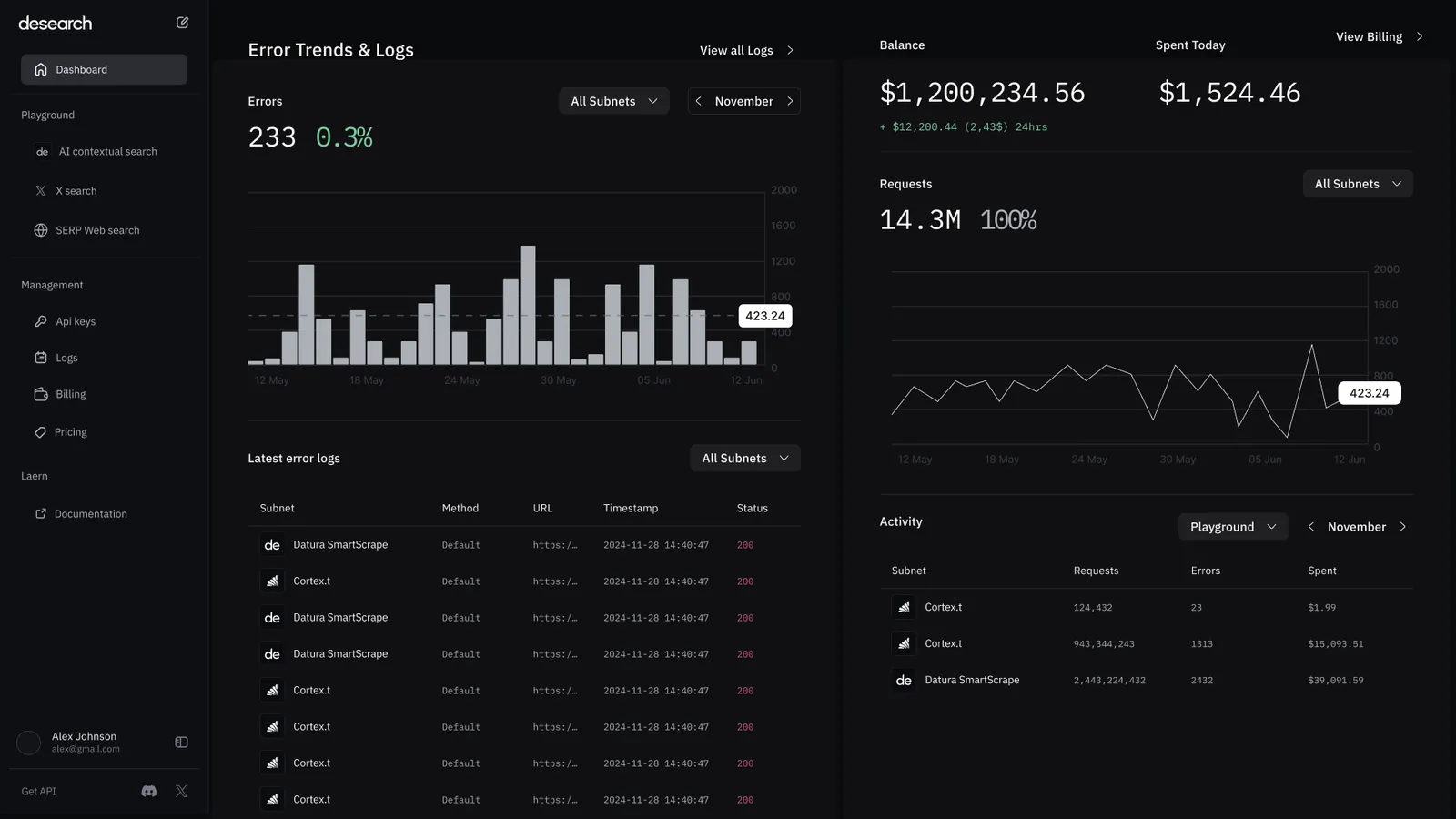
Usage and cost on one timeline
Requests, errors and spend share one timeline. Balance, spend today and cost per request sit beside the usage, and a breakdown by source shows where requests, errors and spend come from.
- Errors trend beside their rate, so a spike is easy to judge.