






Rizzy
Designing how a team configures an outreach agent and reviews its messages before sending.
The problem
Rizzy runs AI agents, called drones, that find leads and draft outreach messages. An agent can misread what a lead wants and draft the wrong reply, and if a team only sees what already went out, those mistakes reach real people. So the team needed a place to set agents up and to check their work before anything is sent.
What I decided
I led design for a year with 4 developers and a marketer. The review console is a split view: an inbox of conversations with their priority on the left, and on the right the context behind the selected draft, meaning the sources the agent found, the lead it is replying to and the step it is on. A confidence control sets how sure the agent has to be before a draft can skip manual review, and anything below it waits for a person. Operators edit a draft inline or ask for a new answer, then approve it.
The surfaces
Setting up a drone, testing it, managing the fleet and reviewing its work.
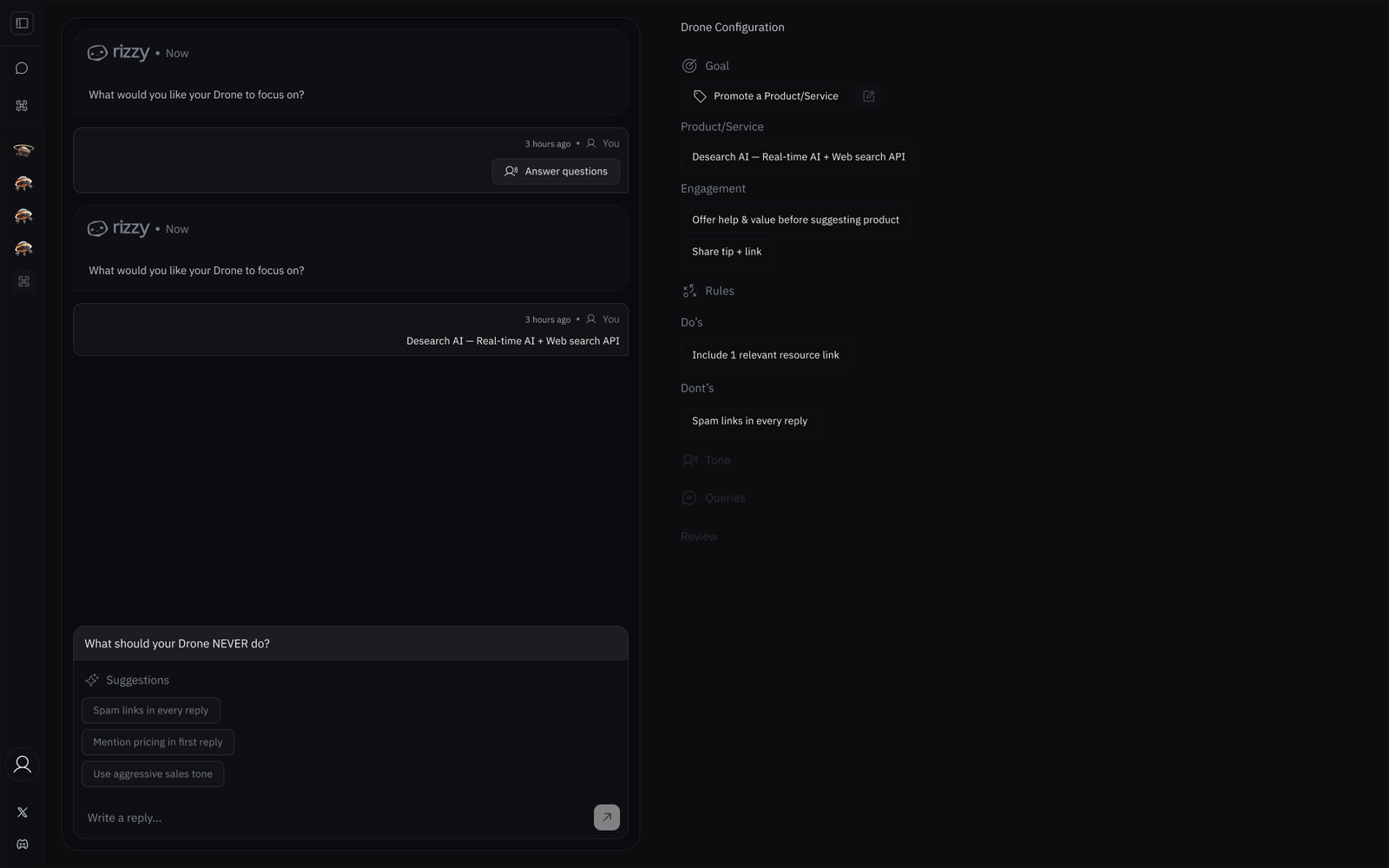
Setting up an agent by chatting with it
Creating a drone is a chat. It asks what to focus on and what it should never do, and each answer becomes structured configuration in a side panel the operator can read and edit.
- The panel mirrors each answer as goal, product, engagement and rules, so nothing sits in a hidden prompt.
- Suggestion chips turn common guardrails into one tap, like rules against spam links or an aggressive sales tone.
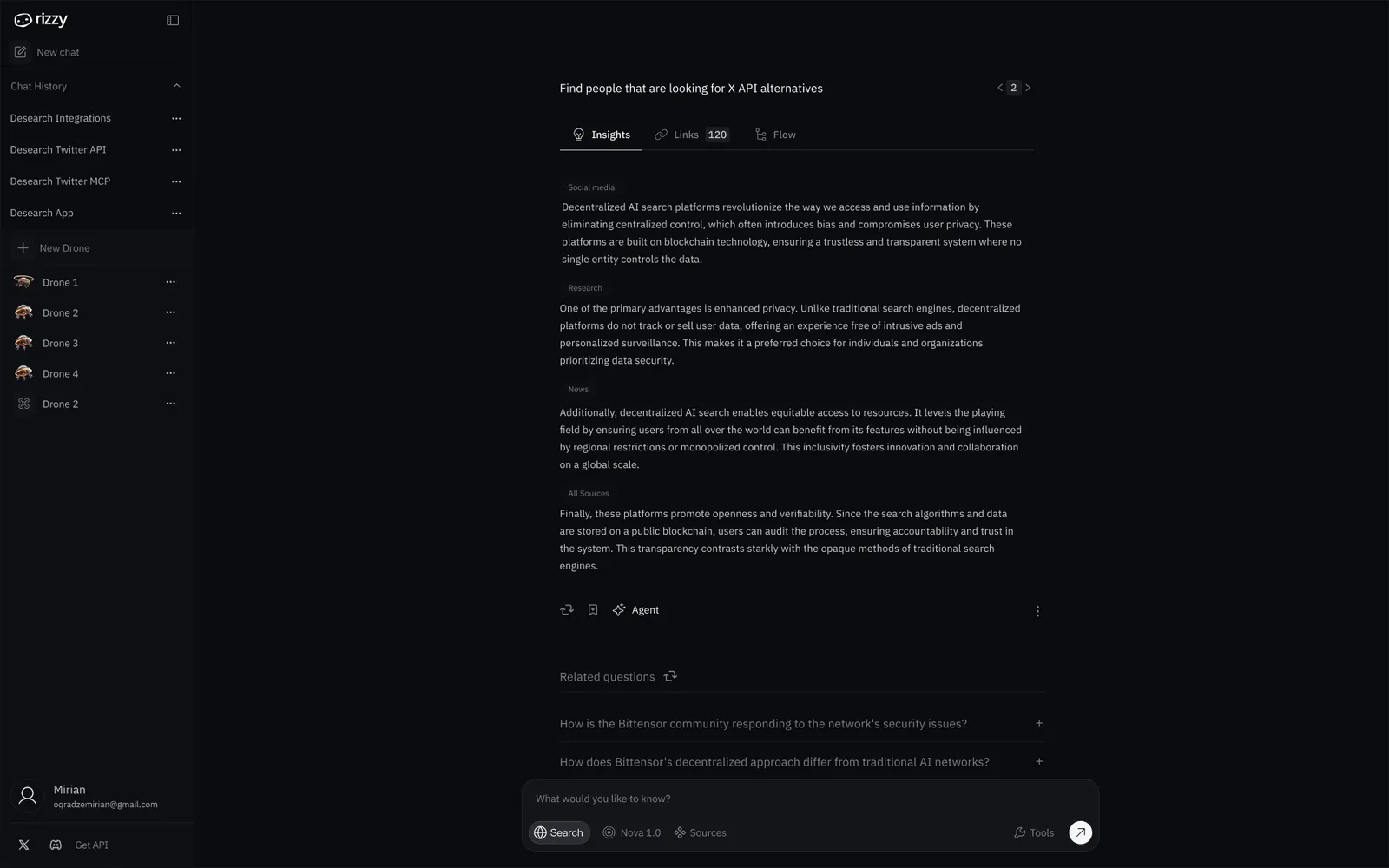
See what the agent finds before it runs
Right after setup, the operator runs the query by hand and reads the output: insights grouped by source, every retrieved link and the flow the agent took. Only then does the drone start searching for new leads on its own.
- Insights are grouped by source type, so it is clear where each claim comes from.
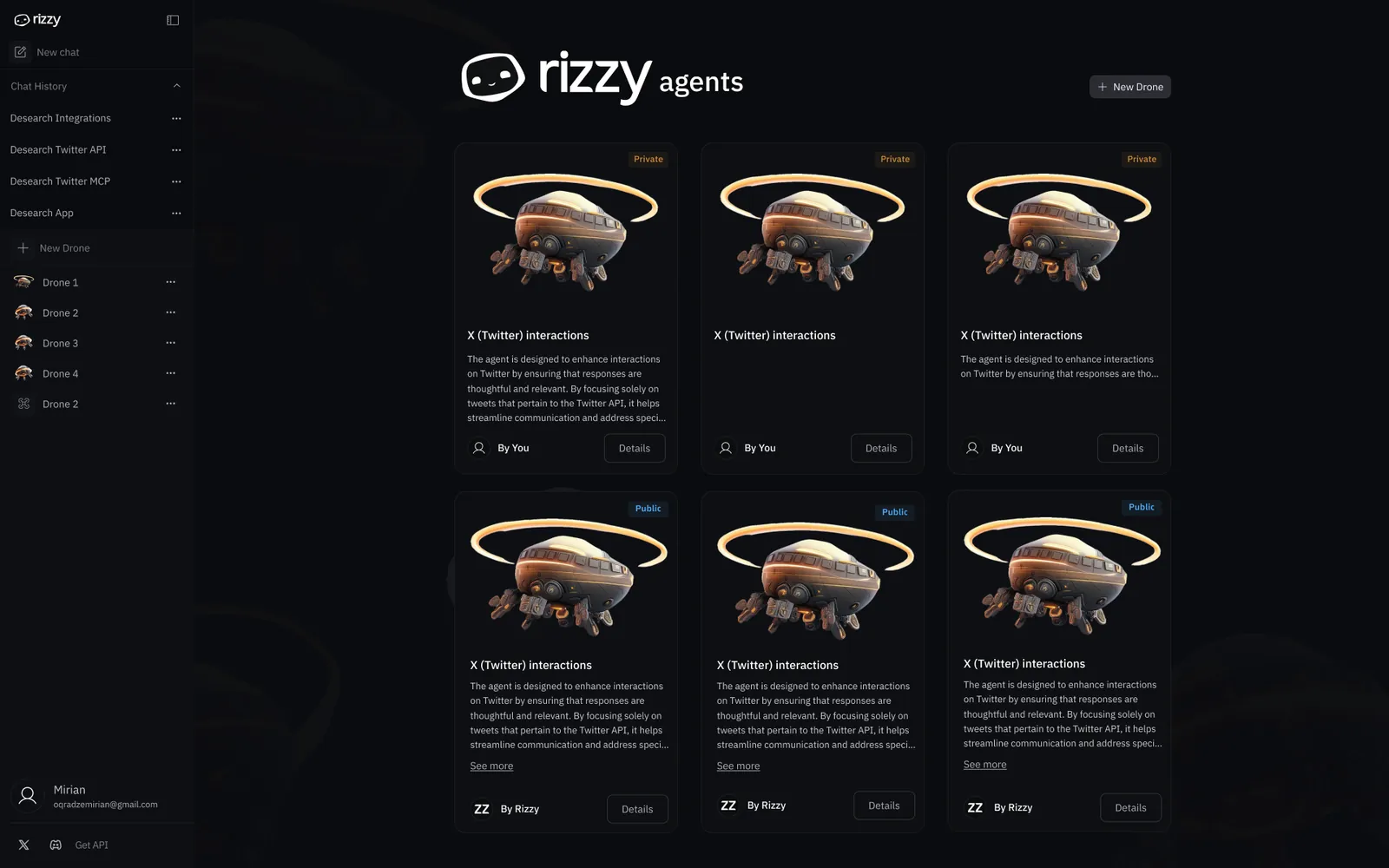
One home for every drone
Drones live in a card gallery split into private drones and public presets. Each card says in plain words what the agent does, so the fleet stays easy to read as it grows.
- New Drone is one click away from anywhere in the fleet.
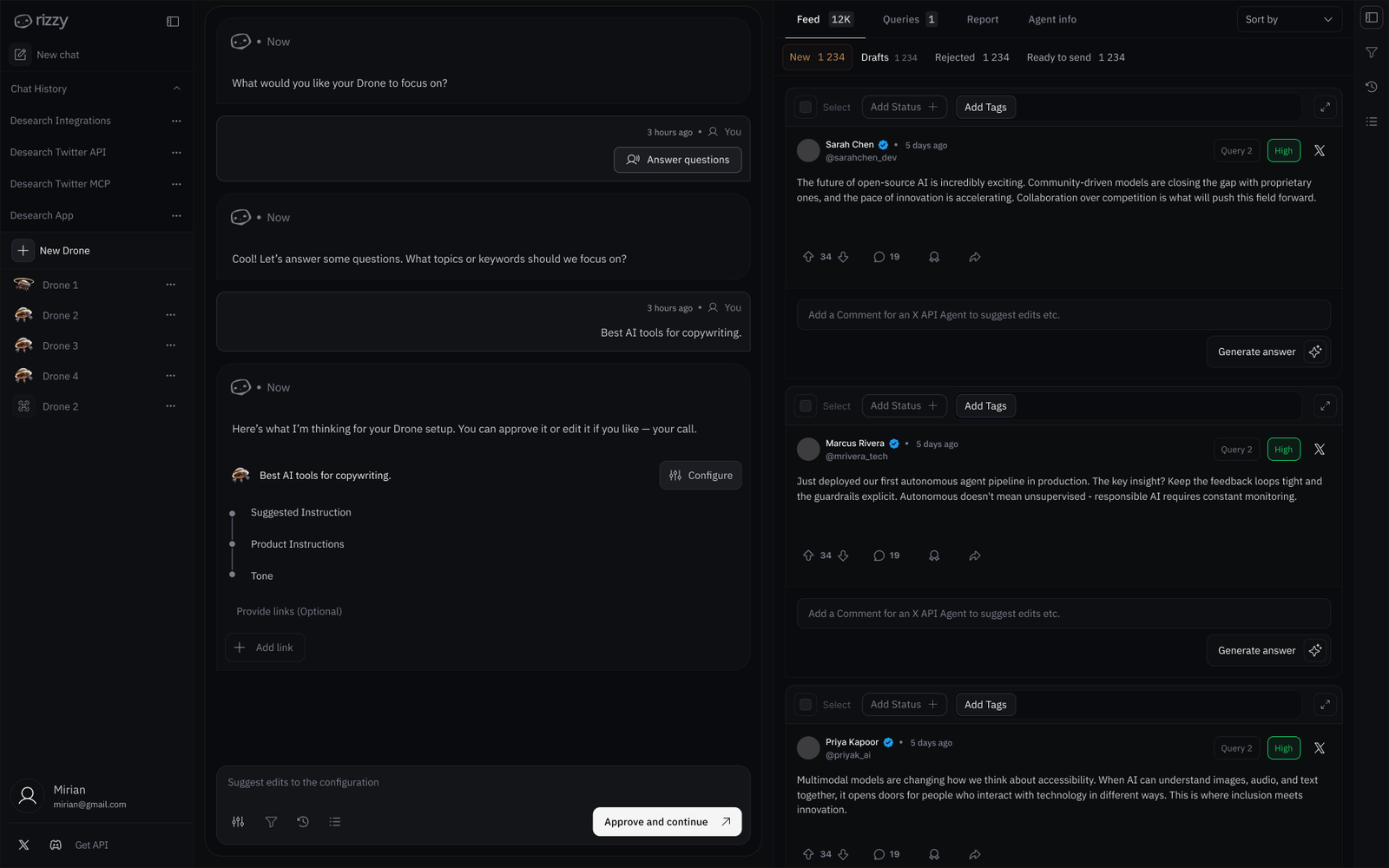
One console for running agents
The console pairs a drone's setup conversation with its live feed. Every drafted reply lands in a status queue with New, Drafts, Rejected and Ready to send tabs, and priority tags bring the conversations worth attention to the top.
- The confidence control decides which drafts wait for a person.
- Inline comments and Generate answer keep corrections in the same pane as the draft.
Since then
The company later rebranded as reachagents. The product stayed much the same.